The Job, In Your Pocket.
Same workspace as the web. Same jobs, same people, same records. Shaped for what you actually do on site.


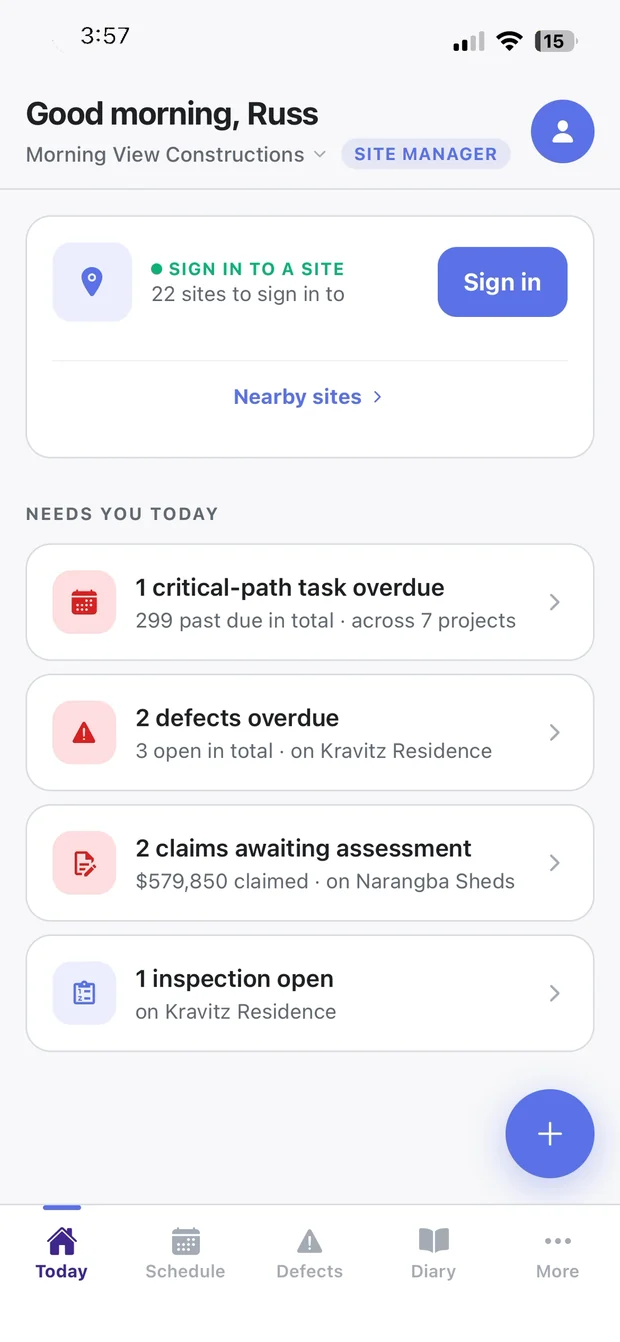
What needs you today, across every job: overdue tasks, defects, claims waiting on you and open inspections.
Built Around Who's Holding It
The app reads your role and builds itself around it. Nobody picks a mode, and nobody wades through screens meant for someone else.
-
Site Crews: Three tabs and nothing to learn. Sign on to site, tap the cost code you're on instead of filling in a timesheet, and submit your day in one tap. A near miss, hazard or good practice takes seconds to report.
-
Project Staff: For PMs, site managers, CAs and owners. What needs you today across every job, then diaries, defects, photos and inspections, program progress and the critical path. Respond to RFIs, assess claims and raise variations from site.
-
Subcontractors: Each builder sets which modules their subbies see. Site sign-in and toolbox talks, defects, progress updates and variation flags, progress claims and quotes, plus your schedule, contracts and notices.
-
Clients: For following their build. Progress and the latest updates, documents and messages, selections and approvals, and a defect reported with photos.
Site Sign-In
That Stands Up.
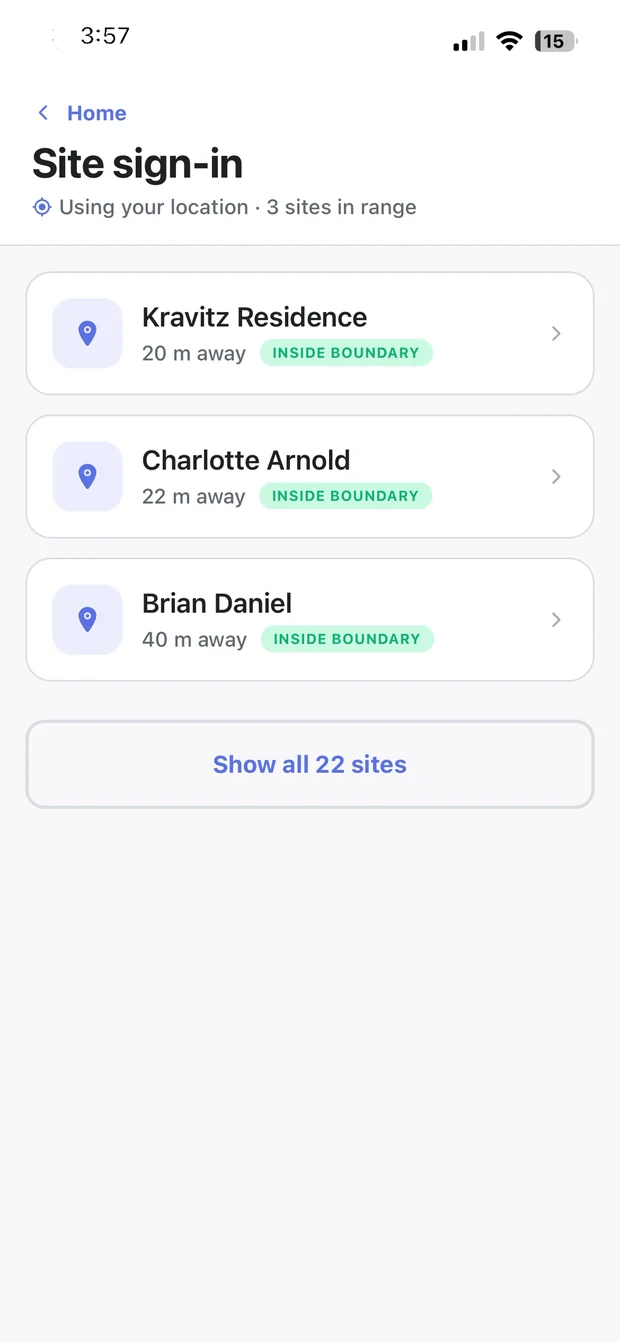
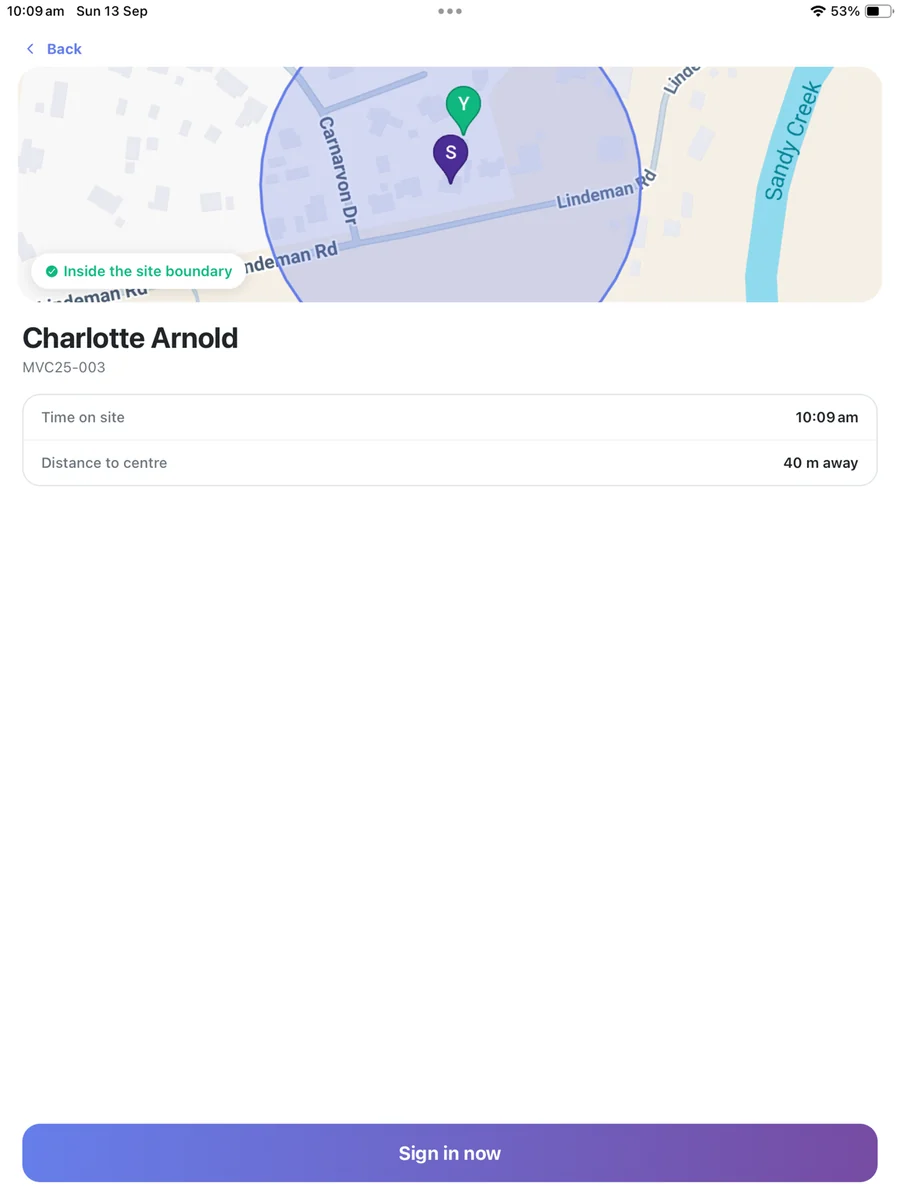
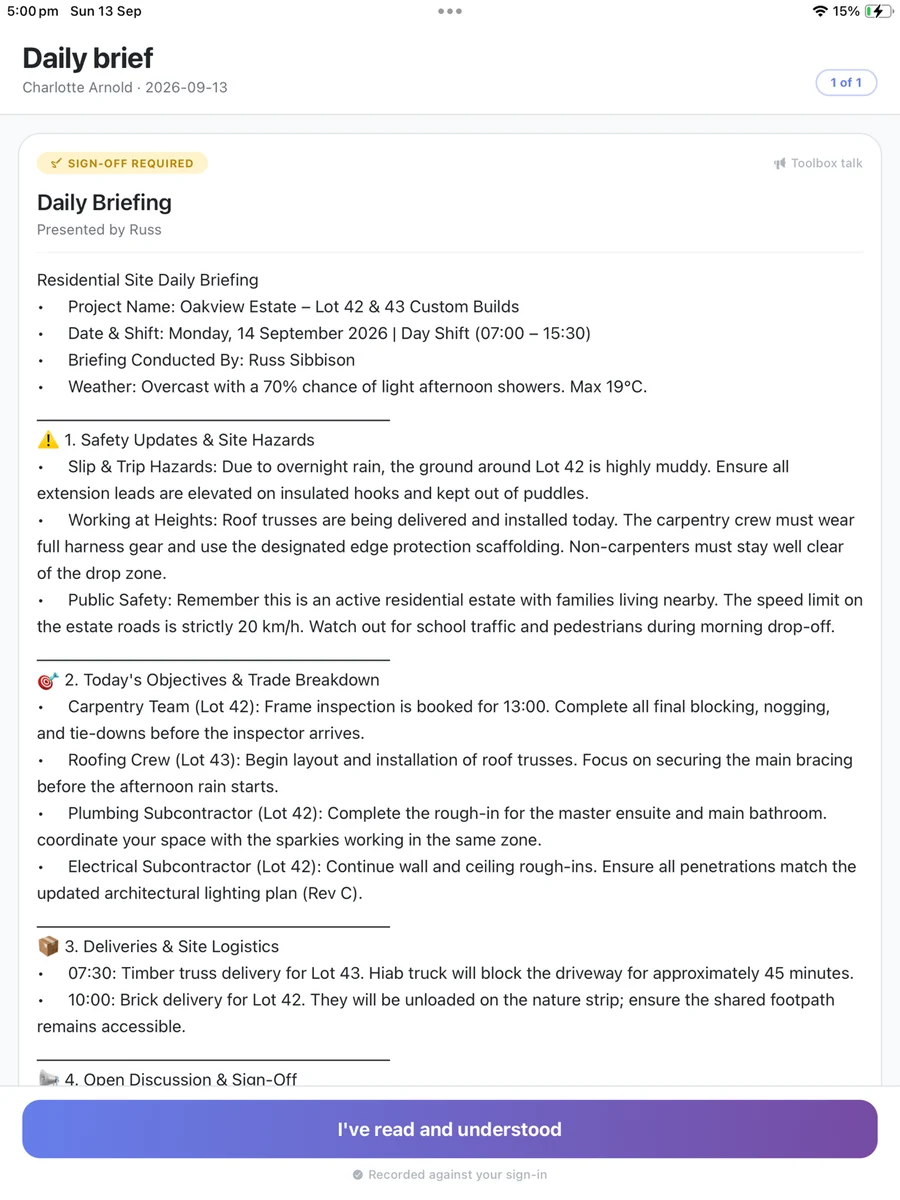
The app finds your nearby jobs, shows the site boundary on a map, and presents any toolbox talks before you're on. Every sign-in records where you were, how far from the boundary, and who was briefed.
-
A Geofence Around Every Job — 150 m by default
-
Outside the Boundary? — the app asks for a reason and records it, rather than locking anyone out
-
Toolbox Talks at Sign-In — read and acknowledged, and recorded against that sign-in
-
No App? No Problem — a QR poster on the gate signs in visitors and day labour from their phone camera
Run the Job From Site
The things that used to wait until you were back at the ute. Record it where you're standing, with the photo attached, and it's on the record before you walk away.
-
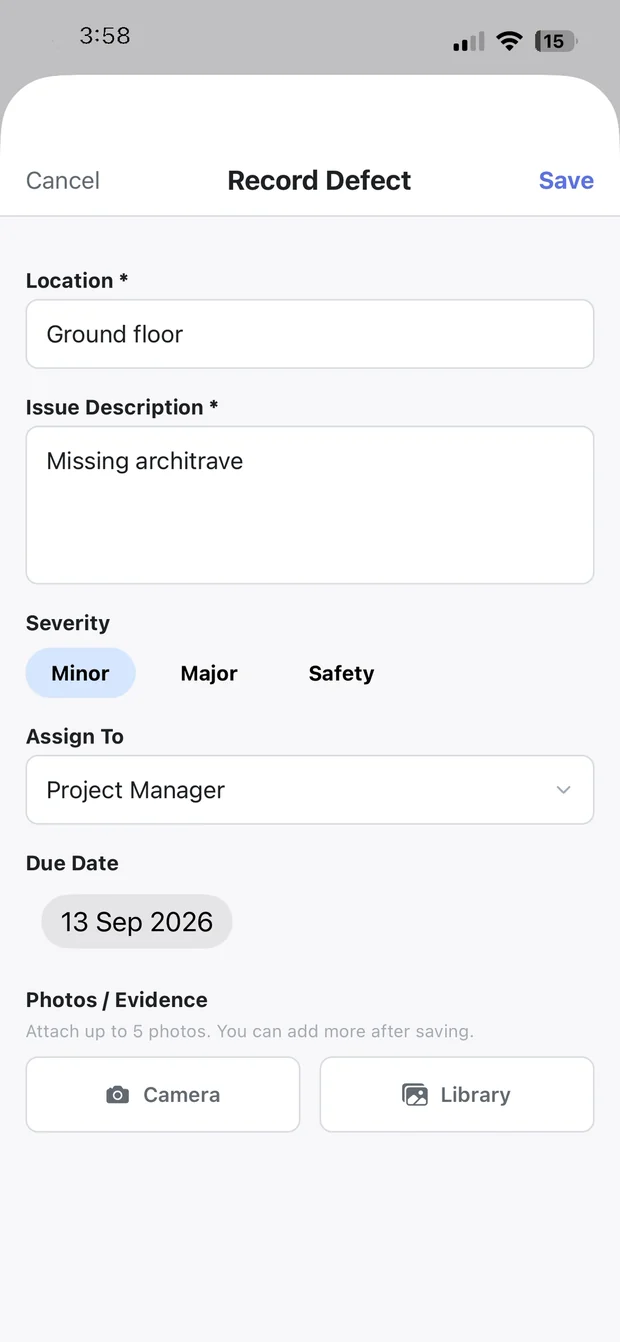
Defects: Location, severity, assignee, due date and photos, captured on the spot.
-
Site Diary: Weather pre-filled, and headcount taken from actual sign-ins.
-
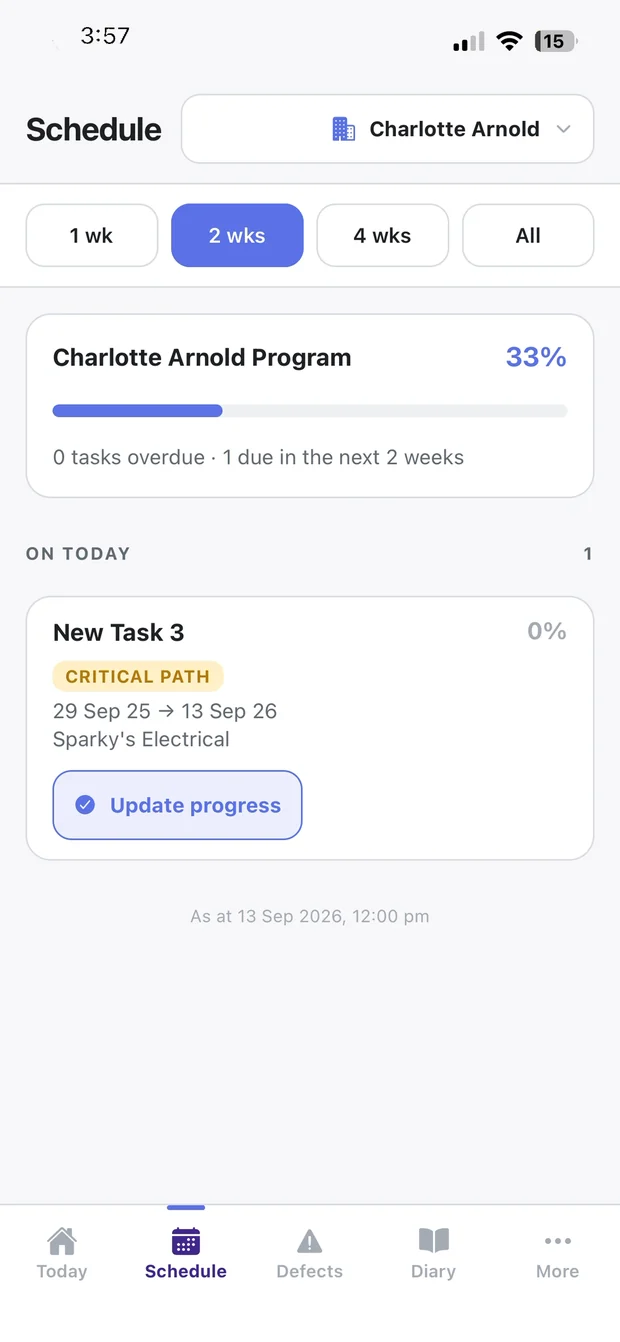
Program Tasks: Banded overdue, today and next 7 days, with critical path markers.
-
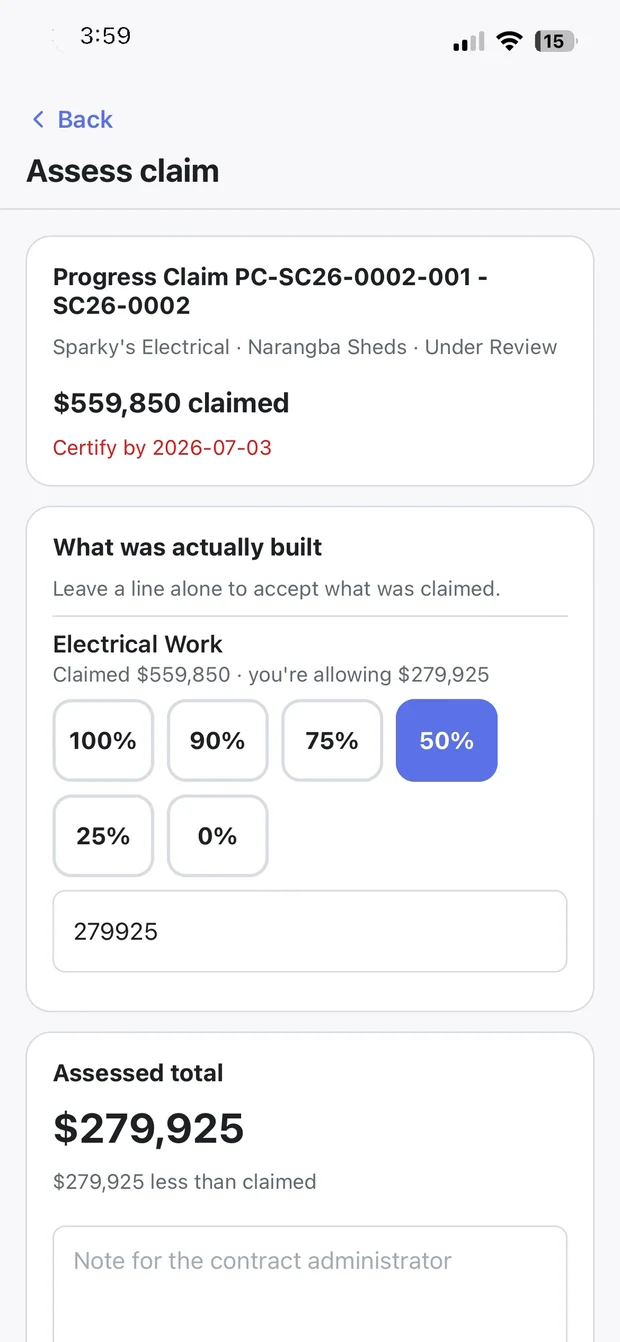
Progress Claims: Go line by line through a claim and save your assessment.
-
Drawings: Current-revision drawings, pinned for when there's no signal.
Built for No Signal
Anything you record is saved on the phone and sent the moment you're back in range. Cost-code switches keep the time you tapped, not the time they sent.
Done on Site
- Site sign-in and sign-out
- Diaries, defects, photos and inspections
- Crew time against cost codes
- Program progress and actual dates
- RFI and notice responses, variation approvals
- Claim assessments
Stays on the Web
- Building and rescheduling the program
- Approving progress claims
- Approving timesheets
- Estimating and takeoff
- Accounting, invoices and payments
- Company settings, users and permissions
Money decisions get a full screen. The app says so and points you to the web.
Get the App.
Free to download. Your builder or project manager adds you from the web, then you sign in on the app the same way you do on the web. No company code.

Scan with your phone camera to go
straight to the right store.
New to the app? Read the Mobile App guide
Powerfully Connected
CortexPM is a single, integrated platform. See how this feature connects with the rest of your workflow.
From The Toolbox
Master the fundamentals with our expert guides, written by construction professionals for construction professionals.
Get Your Site Team On It
Start a free trial, set up a job, and have your crew signing on this week.